Your community.
No servers to trust.
Bearhole is a peer-to-peer, end-to-end encrypted chat for communities — text, voice, video, files and docs that live on your devices and the seeds you run, never a company's cloud.
Your identity is a 12-word recovery phrase.
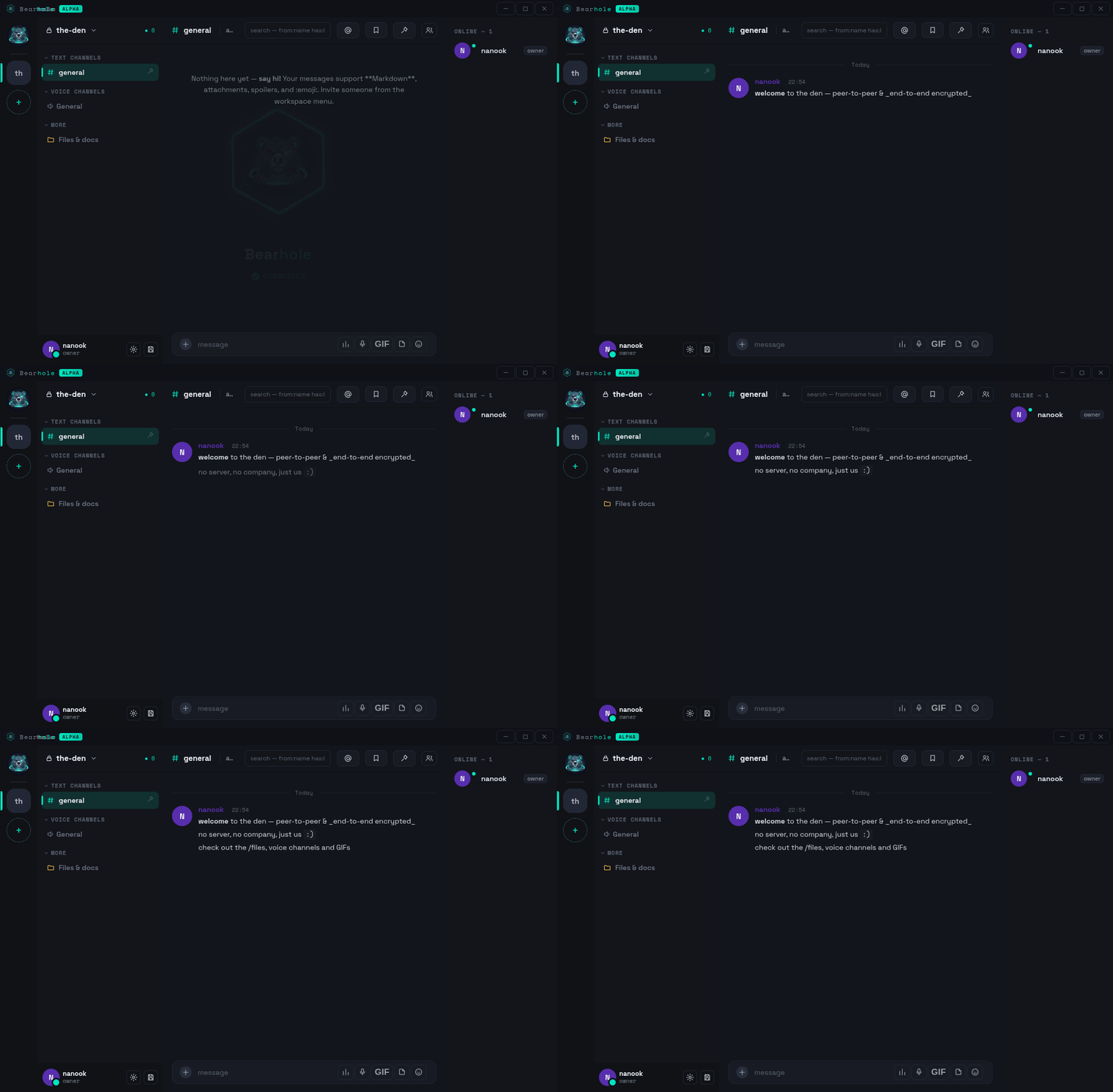
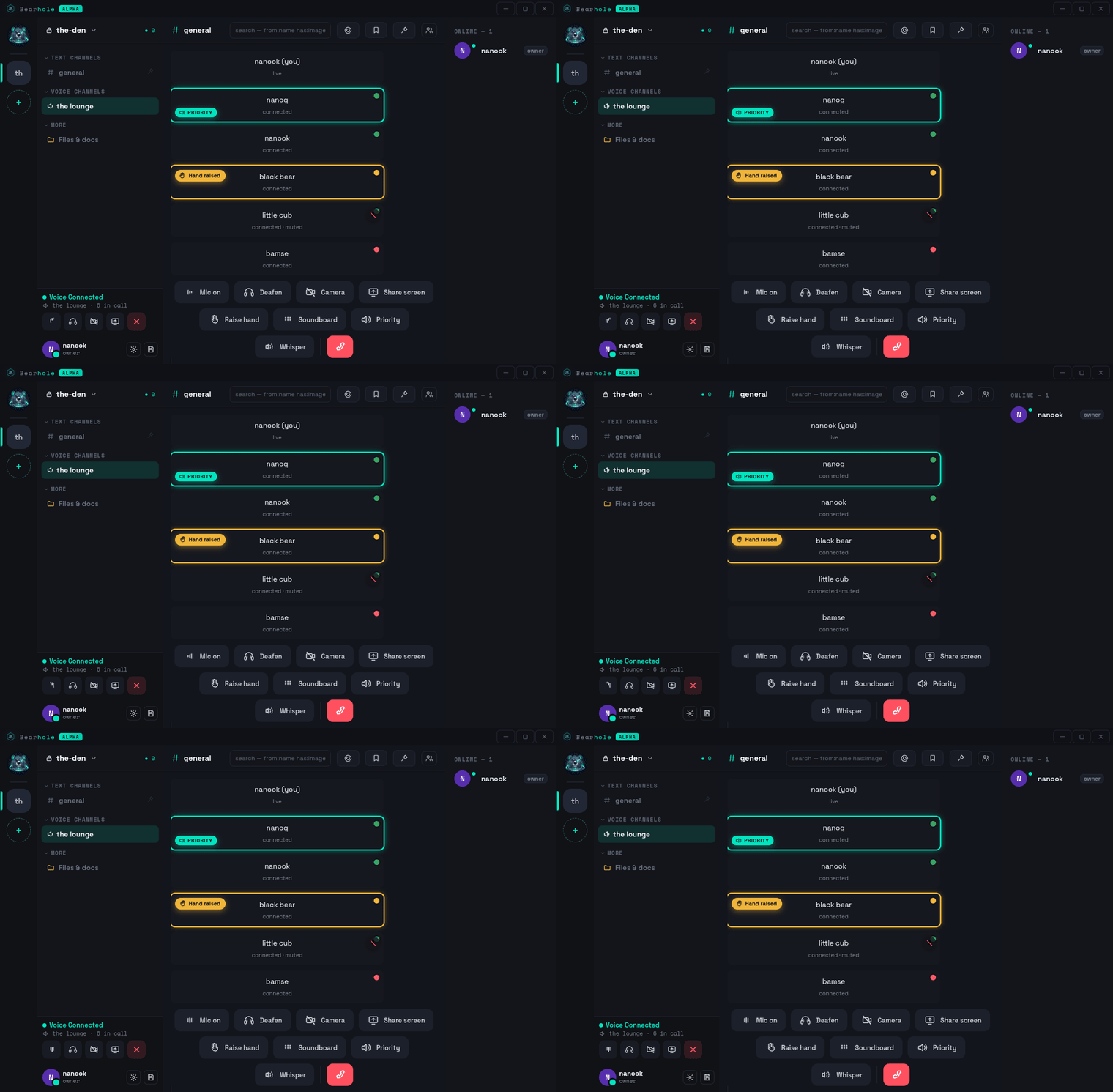
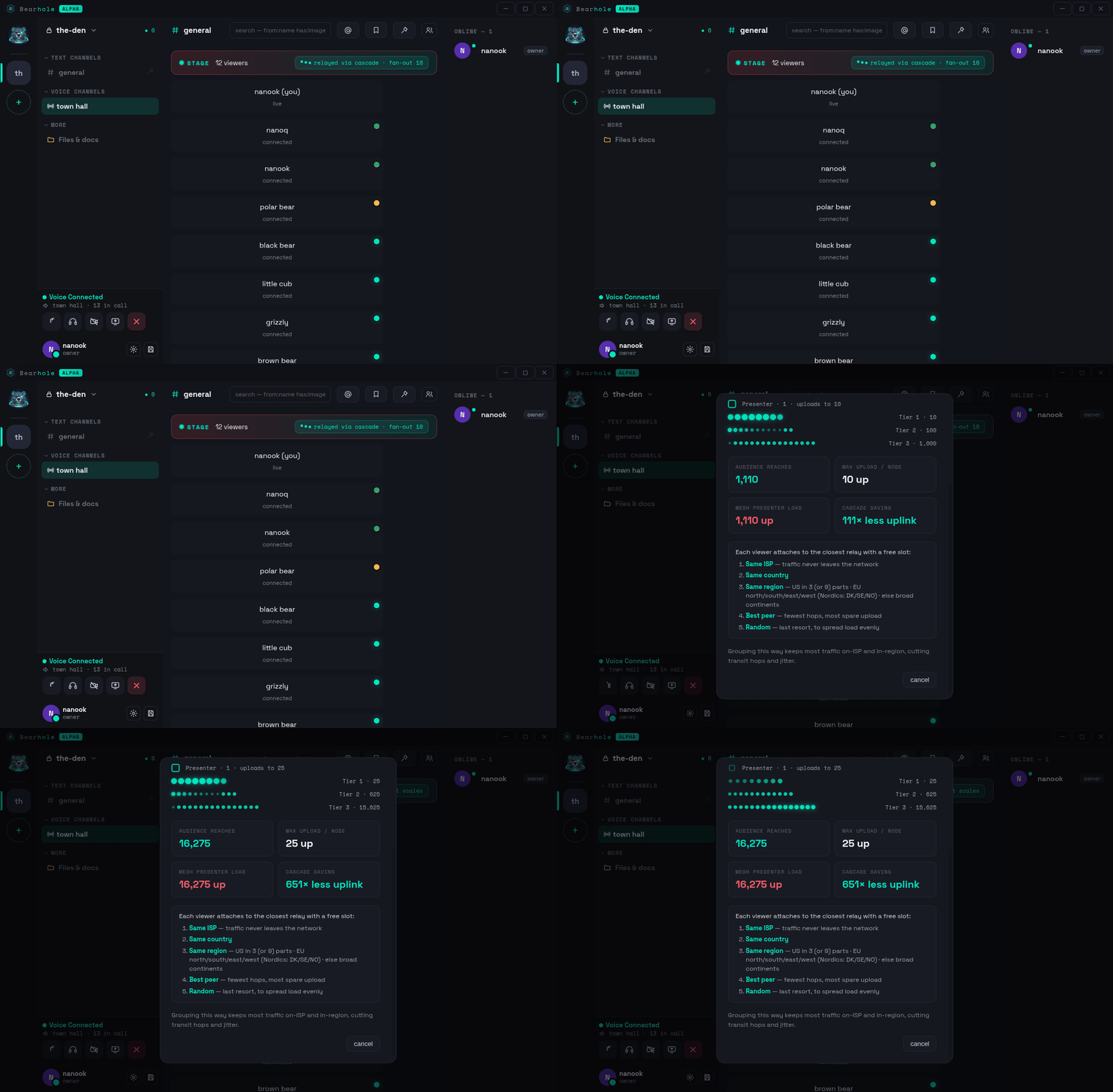
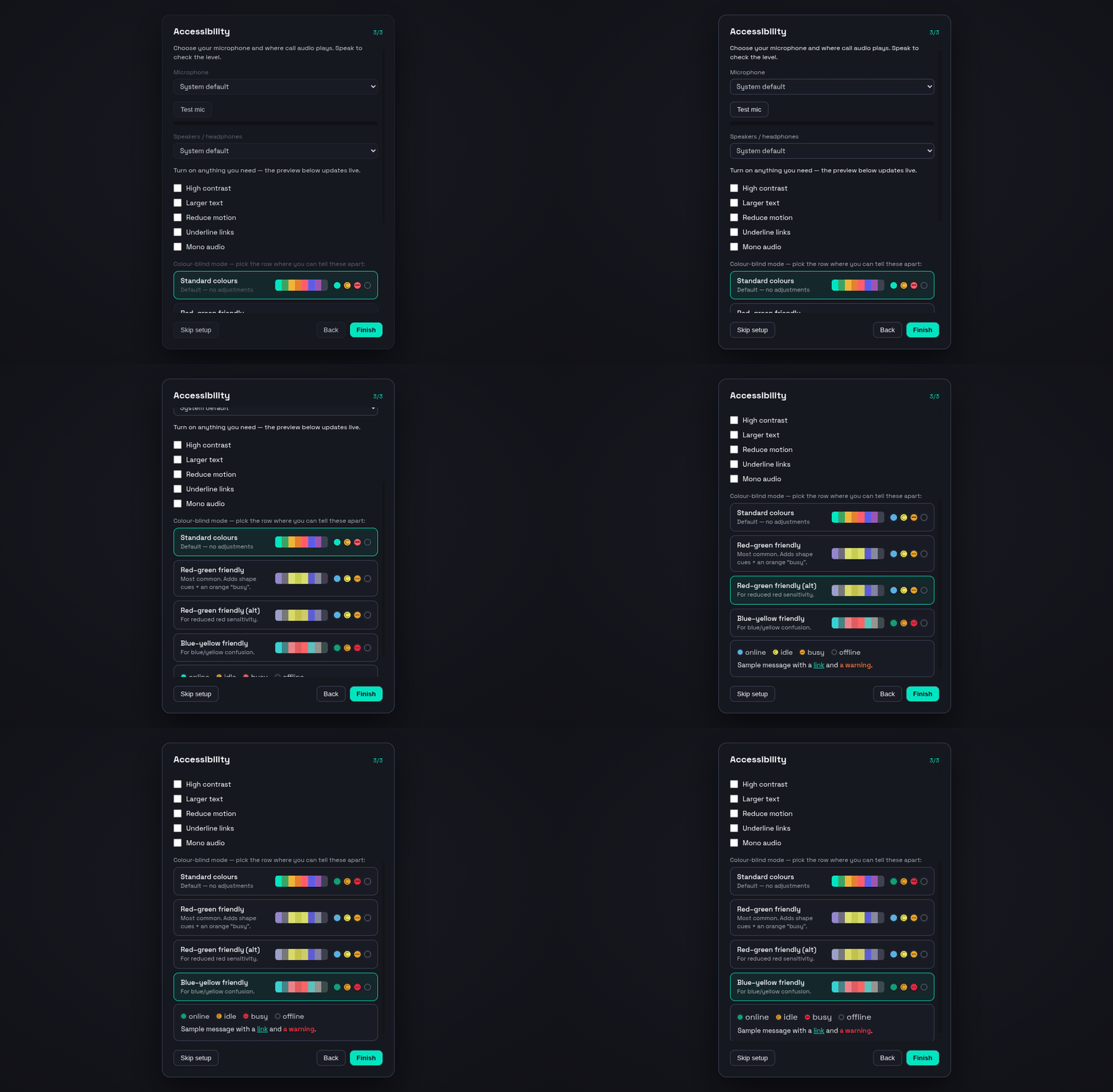
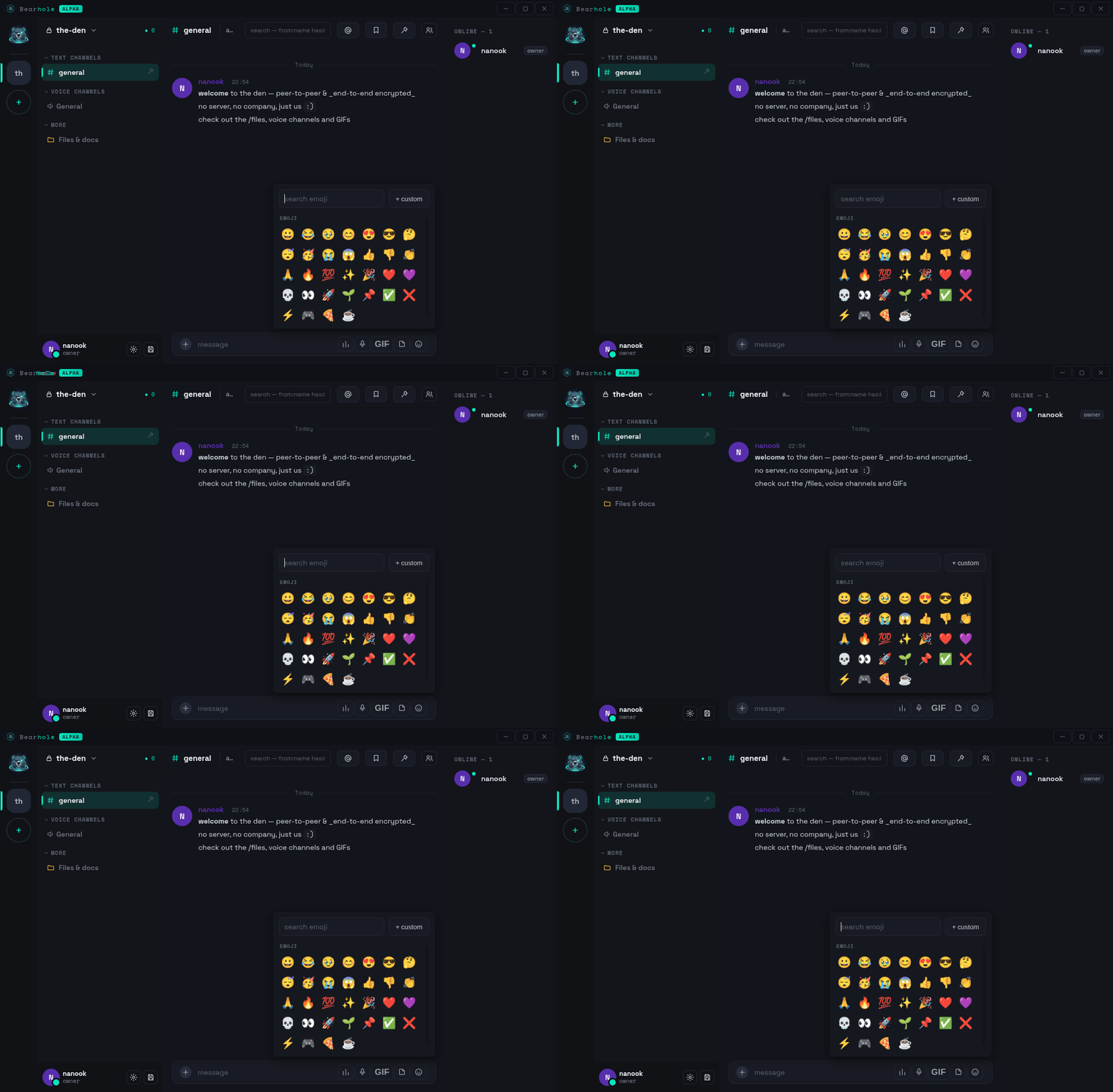
Real screens, not mockups.
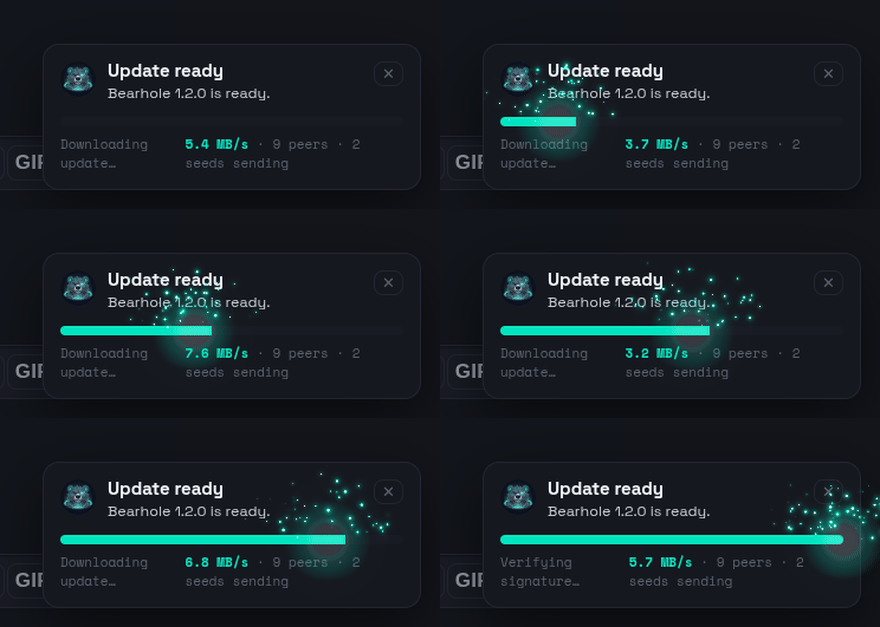
Updates that arrive
from your peers.
New releases replicate peer-to-peer from an ed25519-signed feed — your online desktop hands the update straight to your laptop, no download server. A relaying peer can never forge a release. The prompt is polite — update now · remind in 5 · next open · auto after close · never — and the bar shows live speed and how many peers are sending, with a spark when it flies.
Everything a community needs — nothing that phones home.
Encrypted by construction. Honest about the edges.
Every content resource is block-encrypted from a per-community space key. Message bodies are sealed with AES-256-GCM under a rotating epoch key — wrapped to each device with a post-quantum hybrid KEM.
Bearhole vs. the usual chats.
Discord is a company cloud; Fluxer and Chatto are servers you host. Bearhole is peer-to-peer and end-to-end encrypted, so no operator — not even you — can read a community's content.
| Discord | Fluxer | Chatto | Bearhole | |
|---|---|---|---|---|
| Architecture | Company cloud | Self-hosted server | Self-hosted server | Peer-to-peer |
| End-to-end encrypted contenttext, voice & files | Calls only | ✕ | ✕ | ✓ |
| Only you can read itoperator can't see content | ✕ | ✕ | ✕ | ✓ |
| Post-quantum key wrapX25519 + ML-KEM-768 | ✕ | ✕ | ✕ | ✓ |
| No account, email or phone | ✕ | ✕ | ✕ | ✓ |
| Runs with no server at all | ✕ | ✕ | ✕ | ✓ |
| Voice, video & screenshare | ✓ | ✓ | ~ | ✓ |
| Open source | ✕ | ✓ | ✓ | ✓ |
| Signed peer-to-peer updates | ✕ | ✕ | ✕ | ✓ |
| Cost | Free + Nitro | Self-host | Self-host | Free forever |
Run one box. Make it permanent.
A seed node turns an ephemeral workspace into a durable community: full text history forever, media cached on your policy, and invites answered while every member is offline. Anything Raspberry-Pi-class works — no port forwarding, the DHT handles NAT.
Communities that connect — with no central registry.
Opt-in seeds discover each other over the DHT and can grant cross-community invites. Content, files and membership never federate — only discovery and invite-granting do. You choose the posture.
The lightweight client, on every platform.
One small app that peers directly with the network — no company cloud in the middle. Desktop builds are unsigned single binaries; mobile wraps the same interface. After first launch, updates arrive peer-to-peer.
Bearhole ships as a single pear:// link on Holepunch's Pear runtime — no installer, no app store, and new versions arrive peer-to-peer. Install Pear once, then run the link:
npm i -g pear
pear run pear://9jumqiujkww7aewmgkumqun4h3cusknjpfhohdyejbbcptb7h31o
Runs on Linux, macOS & Windows. Prefer a plain binary or the tiny bootstrap? Grab one below.
The installer asks where to put Bearhole, sets everything up for you (it even grabs a private copy of Node if you don't have one — nothing system-wide, no admin), and makes a real Bearhole shortcut with the Bearhole icon. Works on a stock macOS, Windows 10/11, or Ubuntu-style Linux.
macOS: after downloading, right-click → Open the file the first time (it's unsigned — Bearhole has no company). Windows: if SmartScreen warns, click More info → Run anyway. Linux: mark it executable (chmod +x install.sh) and run it, or paste sh install.sh.
The complete desktop app. Unpack and launch — it finds peers on its own and can even host its own community from the CLI. No infra required.
tar xf Bearhole-linux-x64.tar.gz
./Bearhole
A tiny headless launcher (no Electron) that joins the swarm, finds your operator's seed, and pulls the newest signed release — verified against a pinned key. It is also the auto-updater.
node bin/bootstrap.js \
  --release-key <hex> --watch
Full setup for every platform — including sideload and the signed-update model — in docs/binaries-and-sideload.md and docs/bootstrap-and-updates.md.
Or add the web PWA to your home screen — nothing to sideload.
A native build follows; the PWA works day one.
npm i -g pear
pear run pear://9jumqiujkww7aewmgkumqun4h3cusknjpfhohdyejbbcptb7h31o
Desktop builds are unsigned; verify and self-sign per the docs.
Bearhole is AGPL-3.0 and the full source will be published for anyone to read, audit, and self-host. It's in alpha right now — we're polishing and cleaning it up before we open the repository publicly, so it's genuinely useful (and readable) on day one rather than a mess. Follow along for the public release.
A community lives on its members' devices. Point a cheap always-on box (a VPS or a Raspberry Pi) at it and it keeps full history, caches media, and answers invites 24/7 — no port forwarding, the DHT handles NAT. Join once with an invite, then it runs itself:
git clone <repo> bearhole && cd bearhole && npm ci --omit=dev
node bin/seed.js --join <invite> --storage /var/lib/bearhole-seed --media-cache 90
Add a second seed and failover is structural. Docker/systemd templates + the full guide: Seed nodes.
The whole app is the pear:// link — there's no file to send. To let a second machine (say your laptop or a friend's Mac) install it before you've cut a public release, keep a seeder running on any computer that already has it. Leave this open, then run the link on the other machine:
# on a computer that already has Bearhole — keep it running
pear seed pear://9jumqiujkww7aewmgkumqun4h3cusknjpfhohdyejbbcptb7h31o

# on the other machine — install Pear once, then run the link
npm i -g pear
pear run pear://9jumqiujkww7aewmgkumqun4h3cusknjpfhohdyejbbcptb7h31o
No port-forwarding — the DHT hole-punches through NAT. Once you pear release the app it self-sustains and anyone can run it even when your box is offline (as long as some seed is up).
Join the official test community
Alpha is live. Open the app, hit Join a community on the landing screen, and paste this code to land in the official den — voice, cascade stages, reactions and files, all peer-to-peer.
BEARHOLE-OFFICIAL-JOIN-CODE
The core is free. Forever. Never gated.
Paid tiers add operator convenience, hosted web & mobile access, or cosmetics — nothing that unlocks a community feature or fragments the network. The app and self-hosting are free forever.